- Key Takeaways
- Build A Mobile
Job Search System - Use Your Phone To Apply Smarter
- Keep LinkedIn And Networking Active
- Prepare For Interviews Anywhere
- Stay Organized With Calendars And Reminders
- Access
Your Resume AndCover Letter From Anywhere - Dropbox
- Google Drive
- Box
- Evernote
- Other Choices
- Further Guidance & Tools
- Next Steps
- Final Words
- Additional Resources
We may earn a commission if you click on a product link and make a purchase at no additional cost to you. For more information, please see our disclosure policy.
Last updated: June 7, 2026

Key Takeaways
- Speed Matters: Mobile job search tools help you respond quickly, but strong applications still need targeting and accuracy.
- Documents Need Access: Store
your resume andcover letter where you can edit, download, and send them from any device. - Alerts Save Time: Job alerts, saved searches, and app notifications help you spot relevant openings before they disappear.
- Mobile Must Be Professional: Your phone can support applications, networking, research, and interviews if your tools are organized.
- Security Still Counts: Protect your files, verify employers, and avoid rushing into suspicious job offers or unknown links.
In a job search, timing can affect which applications get seen first. That does not mean every job goes to the fastest applicant, but it does mean you should be prepared when a strong posting appears. Employers may receive a large response quickly, especially for remote, hybrid, entry-level, and broadly appealing roles.
Your smartphone can help you move faster without lowering your standards. The goal is not to spray the same resume everywhere. It is to have the right tools ready so you can review the posting, tailor your materials, submit cleanly, and streamline your
We’re with you until you land your next job — placement support guaranteed. Four expert services. One simple fee. This personal, done-for-you, job placement support service has everything you need to find your next role.


Build A Mobile Job Search System
Your phone should act as a portable command center, not a last-minute scramble. Start by installing the
Use alerts carefully. Too many broad alerts create noise and lead to rushed applications. Focus them by title, skill, location, remote preference, salary range when available, and seniority level. When a promising role appears, review whether your background truly fits before you apply. Speed helps most when the application is also credible enough to secure an interview.
Use Your Phone To Apply Smarter
- Use
Job Search Apps Effectively: Install only the platforms that match your target roles, then set focused alerts instead of browsing endlessly. - Track Applications: Use a spreadsheet, notes app, or job tracker to record dates, contacts, links, follow-ups, and interview stages.
- Research Employers: Check the company website, LinkedIn presence, reviews, leadership, and recent news before applying or replying.
- Customize Materials: Keep editable versions of
your resume andcover letter so you can tailor them for each opportunity.
A mobile application still needs the same care as one submitted from a desktop. Read the job description, match your strongest experience to the employer’s priorities, and avoid typos caused by small screens or autofill. AI tools can help you compare

Optimize your job search in minutes with 18 powerful tools
Build a standout resume, tailor it to every role, discover jobs you’ll love, and apply with one click — all in one place. Perfect for self-starters who want speed and flexibility.
Keep LinkedIn And Networking Active
LinkedIn is more than a profile page. Recruiters, hiring managers, former colleagues, and industry contacts may all review it before responding. Use your phone to update recent accomplishments, add current skills, save jobs, respond to messages, and stay visible through thoughtful engagement.
Mobile networking works best when it is specific. Instead of sending generic connection requests, mention a shared field, company, project, event, or role. Join relevant networking groups, follow target employers, and use networking to learn about roles before they become crowded public postings.
Prepare For Interviews Anywhere
Your phone can also help you prepare after you apply. Save role descriptions, recruiter names, company notes, and interview details in one place. Use downtime to review common questions, practice concise answers, and study the employer’s priorities. Strong interview preparation is easier when your notes are organized before the call arrives.
Many employers use phone screens, live video calls, and recorded video interviews. Test your camera, microphone, lighting, background, and connection before you need them. A short practice recording with a video tool can reveal distracting habits, unclear answers, or poor audio before they cost you an opportunity.
Elegant design featuring convenient, safe pockets ideal for documents, business cards, travel tickets, pitch proposals & resumes.

Stay Organized With Calendars And Reminders
Missed follow-ups, forgotten interviews, and duplicate applications can make a good candidate look careless. Use your phone’s calendar, reminder apps, or a simple task system to manage application deadlines, recruiter calls, interview dates, thank-you notes, and follow-up windows.
Keep the system simple enough to use daily. A practical setup might include one folder for resumes, one note for target companies, one spreadsheet for applications, and recurring reminders to review alerts. The best tool is the one you will actually maintain when the search gets busy.
Motion increases productivity by 137%. With automation and AI that intelligently plan your day, schedule meetings, and build the perfect to-do list.
Access Your Resume And Cover Letter From Anywhere
To send
Also think about access and security. Turn on device passcodes and account protection, avoid editing sensitive documents over public Wi-Fi when possible, and make sure your files can be opened on both your phone and a desktop. A fast application is not worth sending a broken attachment or the wrong resume.
Dropbox
Dropbox remains a practical option for storing and syncing
For job seekers, the main advantage is convenience. Create a dedicated folder for applications, keep your best resume versions there, and make sure your files sync before you leave home. On your desktop, saving documents to a Dropbox folder can make them available when you need to apply from your phone.

Share & Store Important Files. Swap Photos, Recipes, and Much More—Share the Things You Love With the People You Love. Share Any File You've Stored With Only a Few Clicks, Even When It's Too Large To Email.
Google Drive
You will need a Google account to use Google Drive. It works across major desktop and smartphone platforms and is especially useful if you already use Gmail, Google Docs, or Google Sheets to manage applications and documents.
Google Drive can help you keep editable drafts, PDFs, company research, and application tracking files in one place. Before relying on it for mobile applications, confirm that you can export
Do you have 30 minutes to spare? It's all you'll need to get up to speed with Google Drive, Google Docs, Google Sheets, and Google Slides, the free online productivity suite and Microsoft Office alternative.

Box
Box offers similar document access and sharing features, with strong appeal for users who want structured cloud storage and business-oriented file management. It can be useful if you manage multiple resumes, portfolios, writing samples, references, or project files.
As with any cloud tool, test the workflow before you need it. Make sure you can open the right document, download the correct format, and send or upload it through a hiring platform without formatting problems.
Secure collaboration, content management, and workflow — powered by AI
Trusted by the world’s leading organizations
Evernote
Evernote is best used as an organization tool rather than only cloud storage. It can help you capture recruiter notes, job descriptions,
Pair it with a document storage tool if you need reliable resume attachments. Used well, Evernote can help you organize the moving pieces of your search, while Evernote keeps important notes available across devices.
In Evernote: From Note Taking to Life Mastery: 100 Eye-Opening Techniques and Sneaky Uses of Evernote that Experts Don’t Want You to Know, you'll learn how to simplify, systematize, and synchronize everything in your life. Through Scott's effective, step-by-step formula, you'll banish stress and prioritize like a pro.

Other Choices
There are many other cloud and
Further Guidance & Tools
- Job Alerts: LinkedIn job alert guidance explains how to create alerts for postings that match your preferences.
- Drive Uploads: Google Drive upload instructions show how to upload and find files from an iPhone or iPad.
- Dropbox Mobile: Dropbox mobile upload help explains how to create and upload files from a phone or tablet.
- File Sharing: Microsoft OneDrive sharing help explains how to share files and folders securely from OneDrive.
- Job Scams: The FTC job scams guide helps job seekers recognize suspicious offers, fake recruiters, and requests for money.
Stay healthier and more comfortable during the workday with practical picks for movement, posture, hydration, focus, and everyday wellness. This list includes helpful items for creating a more active, ergonomic, and balanced workspace whether you work from home, in an office, or on the go.

Next Steps
- Audit Apps: Keep only the job apps, cloud tools, and trackers you actually use every week.
- Clean Files: Save current resume and
cover letter versions as editable documents and PDFs with clear file names. - Set Alerts: Create targeted job alerts by title, location, remote preference, skill, and seniority level.
- Test Workflow: Apply to a low-stakes posting or test upload page to confirm your mobile resume process works.
- Review Security: Enable account protection, avoid suspicious job links, and verify employers before sharing sensitive information.
Final Words
Your smartphone can make your
Additional Resources

This 360 degree rotating floral desk organizer features seven compartments for office or personal items, is made of durable metal mesh with a sleek matte finish, and makes a practical yet stylish gift for any occasion.

A versatile bamboo desk organizer with expandable storage, multiple compartments, and drawers, designed to reduce clutter while keeping office supplies, papers, and accessories neatly organized.

HP LaserJet Pro black-and-white printer for teams of up to 10. Prints 42 pages per minute with automatic double-sided printing and built-in security. Ethernet only (no Wi-Fi), supports computers and mobile devices, and requires genuine HP-chip toner cartridges.
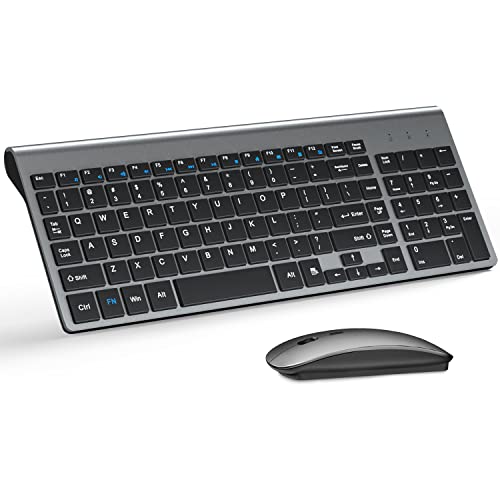
Wireless Keyboard and Mouse Ultra Slim Combo, TopMate 2.4G Silent Compact USB 2400DPI Mouse and Scissor Switch Keyboard Set with Cover, Batteries Included, for PC/Laptop/Windows/Mac - Gray...
Elegant design featuring convenient, safe pockets ideal for documents, business cards, travel tickets, pitch proposals & resumes.

Southworth 404C 25% Cotton Business Paper White 24 lbs. Wove 8-1/2 x 11 500/Box FSC


Portable Document Scanner, AOZBZ 900DPI Handheld Image Scanner, Scanning Wand,A4 Colour Photo Mobile Scanner Handy Scan (JPG/PDF Format, High Speed USB 2.0, Included 16G SD Card) : Office ...

The Brother HL-L2405W is a compact, wireless monochrome laser printer designed for homes and home offices, delivering fast 30ppm printing, mobile app control, versatile paper handling, and reliable performance backed by Brother support and genuine toner options.
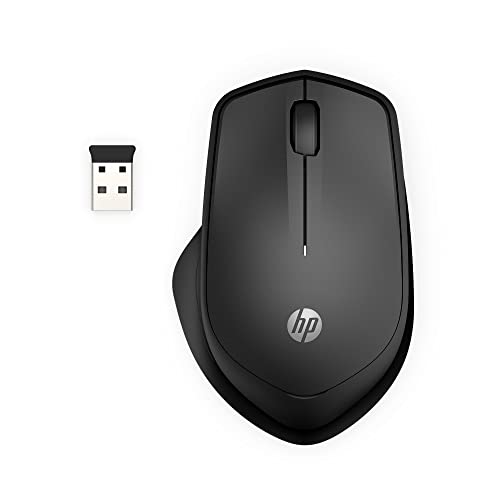
HP 280 Silent Wireless Mouse - Ergonomic, Right-Handed Design - 2.4GHz USB Wireless Connection - Multi-Surface Technology, 1600 DPI Optical Sensor - Win, Chrome, Mac OS - Up to 18-Month Ba...
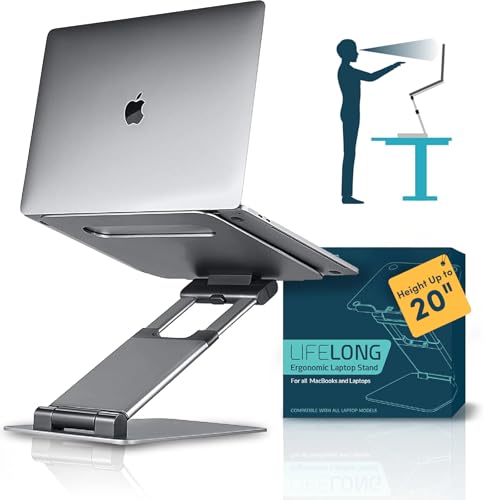
Lifelong Ergonomic Adjustable Laptop Stand for Desk - Height Up to 20" Portable Computer Laptop Riser Holder, Fits All MacBook Air & 10 15 17 Inches Laptops, Back to School Gift for Men &...

The OHAYO T10 open-ear Bluetooth headphones deliver immersive quad-speaker audio, ultra-light 8g comfort, 40-hour battery life, IPX6 waterproof durability, and intuitive touch controls for secure, all-day listening.

Logitech H390 Wired Headphones with Mic, USB-A Headset with Microphone for PC, Noise Cancelling Microphone for Video Meetings, Music, Gaming - Black : Electronics
Improve your chances in job interviews by optimizing your resume. Our partners specialize in resume writing, reviewing, and tailoring to specific job requirements, ensuring job seekers stand out to potential employers.
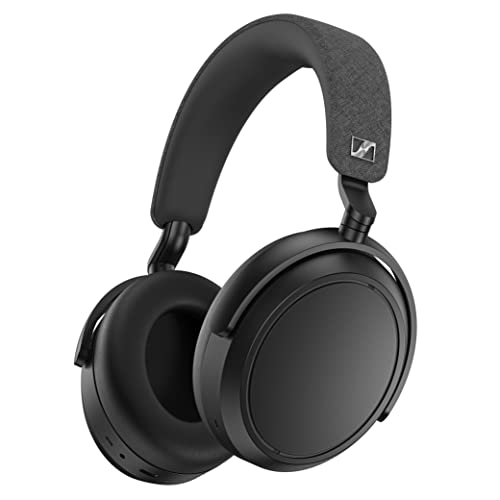
Bluetooth Headset for Crystal-Clear Calls with Adaptive Noise Cancellation, 60h Battery Life and Customizable Sound, Black.

EMEET NOVA 4K Webcam for PC - Ultra 4K HD, PDAF Autofocus, Dual Noise-Cancelling Mics, 73 FOV, Auto Light Correction, USB-A, Privacy Cover, Ideal for High-End Business Meetings&Live St...
Optimize your job search in minutes with 18 powerful tools
Build a standout resume, tailor it to every role, discover jobs you’ll love, and apply with one click — all in one place. Perfect for self-starters who want speed and flexibility.

Logitech Brio 101 Full HD 1080p Webcam for Meetings, Streaming, Desktop, Laptop, PC - Built-in Mic, Shutter, Works with Zoom, Microsoft Teams, Nintendo Switch 2s New GameChat Mode, USB-A,-...

Lepro Clip on Desk Lamp LED Reading light Dimmable USB Small Clamp Lamp with 3 Color Modes 10 Brightness, Adjustable Flexible Gooseneck Table Light for Bed Headboard, Nail, Home Office,Computer(Black)...

ELII 327 PCS Cable Management Kit 4 Cable Cable Sleeves,65 Cable Clips with 13Cord Holders,25 Roll Cable Organizer Straps,200 Fastening Cable Ties,20 Cable Zip Tie Mounts for Computer (Bla...

RK ROYAL KLUDGE R75 Wired Mechanical Keyboard with Volume Knob, 75% Mechanical Gaming Keyboard Gasket Mount, Hot Swappable Silver Switch, MDA Profile PBT Keycaps, Creamy Keyboards, Black

A multifunctional desk organizer that raises your monitor for better ergonomics while keeping everything within reach, with a built-in phone/tablet holder, customizable compartments, and side caddies for extra storage.

A compact, professional journal for new employees or recent graduates to organize role details, contacts, tasks, and notes in one easy-to-carry place.
Motion increases productivity by 137%. With automation and AI that intelligently plan your day, schedule meetings, and build the perfect to-do list.
Job search essentials curated to help you prepare, stay organized, improve your resume, and approach interviews with more confidence.

Gamma is an AI-powered content creation tool that helps professionals quickly turn ideas into polished resumes, presentations, documents, and webpages.

MyPerfectResume makes it easy to create a polished resume without starting from scratch. Choose a professional template, add your experience with guided suggestions, then download your finished resume in Word, PDF, or text format when you’re ready to apply.
ob Search: Fundamentals of Effective Job Hunting, Resumes, and Interviews will help you develop those skills. In Job Search, you will be given step-by-step instructions on writing a resume that stands out and building a search-optimized profile that shows up on the top of potential employers’ lists.





Mark Fiebert is a former finance executive who hired and managed dozens of professionals during his 30-plus-year career. He now shares expert job search, resume, and career advice on CareerAlley.com.