We may earn a commission if you click on a product link and make a purchase at no additional cost to you. For more information, please see our disclosure policy.
Last updated: August 28, 2026
Key Takeaways
- Start With Function: Choose a workspace based on privacy, noise, internet access, and daily tasks before buying furniture or decorative accessories.
- Fit Your Body: Adjust the chair, desk, monitor, keyboard, and mouse together so your posture remains comfortable throughout the workday.
- Control Distractions: Reduce glare, clutter, background noise, and household interruptions while keeping essential tools within easy reach.
- Buy Selectively: Prioritize dependable technology and adjustable equipment, then add printers, storage, air cleaners, or decor only when genuinely useful.
- Protect Boundaries: Consistent hours, movement breaks, secure work habits, and a shutdown routine help separate professional responsibilities from home life.
A productive home office is not defined by size, price, or appearance. It should support your body, protect your attention, and provide reliable access to essential tools. Poor placement, uncomfortable furniture, weak lighting, and interruptions can undermine even an attractive room.
This guide will help you choose a location, set up an ergonomic workstation, prioritize technology, and create routines that make working from home more sustainable. Start with the problems you need to solve, then spend money where it will make a meaningful difference.

Find the Best Remote Jobs for You
- 100% verified work-from-home jobs
- Full-time, part-time, and freelance jobs
- Entry-level to executive roles
- No ads, scams, or junk

Choose a Location That Supports Your Work
A separate room is useful but not essential. In a smaller home, a bedroom corner, landing, alcove, or portable workstation can work. Test possible locations during normal work hours for household noise, Wi-Fi strength, direct sunlight, and video-call backgrounds.
Match the space to the job. Frequent calls require privacy, while confidential work may require a lockable room or protected screen position. Technical roles may need more equipment storage or electrical capacity.
Renovation is rarely the first
Fit the Workstation to Your Body
Ergonomics is about adjustability and alignment, not one perfect posture. Support your feet and lower back, relax your shoulders, and keep your wrists straight. Place the monitor directly ahead near eye level and at a comfortable viewing distance.
Choose ergonomic furniture by comparing adjustment range, seat depth, lumbar support, stability, and return policies rather than relying on the word ergonomic in a product description. An adjustable chair and desk can make fitting the workstation easier, but a footrest, monitor riser, or separate keyboard may solve specific problems more affordably.
Changing position matters as much as arranging the equipment. Sitting or standing still for long periods can become uncomfortable even when the workstation is well fitted. Incorporate regular breaks by linking movement to natural transitions such as finishing a call, submitting a task, or refilling water.
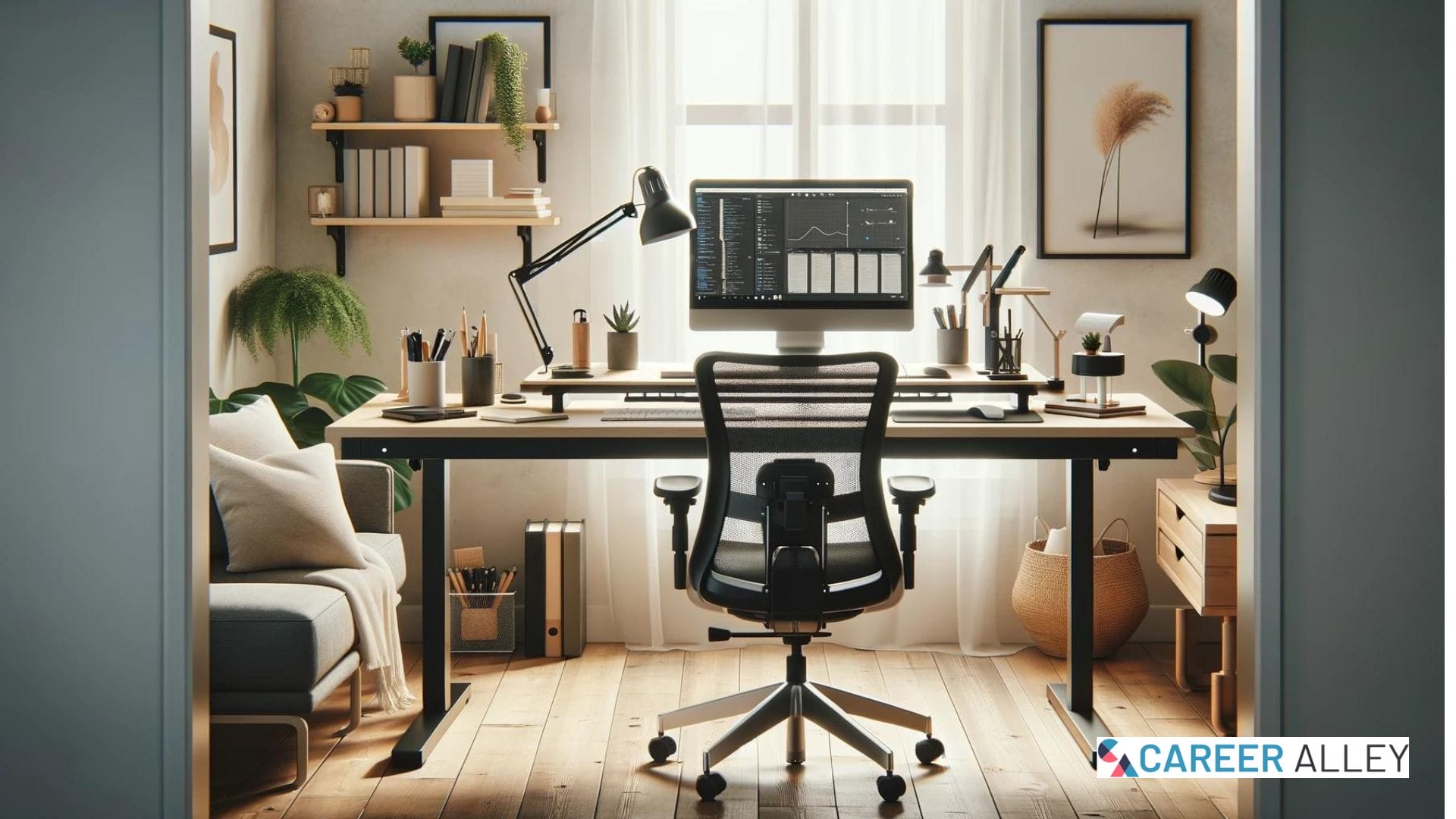
Work from Home Essentials: Optimize your home office with an ergonomic chair, standing desk, good lighting, and essential desk items for maximum productivity.
Build a Dependable Technology Setup
List what your work requires before shopping. Priorities often include stable internet, an approved device, comfortable input equipment, dependable audio, and a well-positioned camera. A second monitor helps some workflows, while others benefit more from a headset or stronger router placement.
When selecting a reliable computer, check software compatibility, memory, storage, ports, warranty coverage, and whether your employer permits personal equipment. Buy a printer only if your workflow regularly requires paper; otherwise, it adds supplies, maintenance, and another device that may contain sensitive information.
Use cable routing that avoids trip hazards and strain on connectors. Before you invest in a surge protector, verify that the product is genuinely designed for surge protection, has an appropriate electrical rating, and provides enough safely spaced outlets for your equipment.
Security belongs in the setup. Follow employer policies, enable updates and multifactor authentication, lock unattended screens, and avoid sharing work devices. Secure confidential papers and use an approved virtual private network when required.

Stay healthier and more comfortable during the workday with practical picks for movement, posture, hydration, focus, and everyday wellness. This list includes helpful items for creating a more active, ergonomic, and balanced workspace whether you work from home, in an office, or on the go.
Control Light, Clutter, and Air Quality
Position the monitor at a right angle to windows when possible so daylight doesn’t shine directly into your eyes or reflect off the screen. Use blinds or curtains to control changing light and add a shaded task lamp for reading or detailed work. Balanced, diffused light is usually more comfortable than a bright window behind the monitor or an intense lamp in your field of view.
Organization should shorten the time needed to begin and complete work. Keep your home office organized by retaining only frequently used items on the work surface. Start by organizing your work desk, then create defined homes for charging cables, reference material, current paperwork, and supplies.
A planning system can help you focus on your tasks, but not overcome unclear priorities. Capture commitments in one system, identify each day’s important outcomes, and limit visual reminders to active work.
Comfort also depends on airflow, temperature, humidity, and pollutant sources. Address moisture, dust, smoke, and ventilation before assuming a device will solve the problem. If you consider an air purifier, compare its recommended room size, filter cost, noise, placement requirements, and maintenance schedule.
Desk plants and flowers can personalize a workspace, but choose varieties suited to the available light and safe for children or pets. Older coverage of adding green to your home office reflects the continuing appeal of workplace plants; treat them as decor rather than a substitute for source control, ventilation, or filtration.

LIVE INDOOR PLANTS: Includes 4 hanging plants like marble queen pothos, golden pothos, silver satin pothos, Hawaiian, and more in 4” nursery pots. Indulge in climbing plants and other small house plants for delivery prime - order today, unbox fast.
Create Boundaries That Protect Attention
A dedicated zone signals that work is beginning, even without a separate room. Keep a consistent setup, set household expectations, and control background noise. At day’s end, close applications, secure sensitive material, and leave or reset the space.
Productivity depends on work design as well as surroundings. Clear goals, realistic workload, protected focus time, and communication expectations matter more than decorative upgrades. A structured approach to productivity may help readers organize commitments, while these CareerAlley home office strategies provide additional ways to manage difficult workdays.
Review the setup after two weeks. Record discomfort, distractions, connection failures, missing equipment, and slow tasks. Change one problem at a time. The goal is a dependable environment that helps you be more productive without letting work occupy every part of home life.
Further Guidance & Tools
- Ergonomics Checklist: Use the OSHA computer workstation guide to assess posture, monitor placement, seating, and equipment arrangement.
- Security Basics: Follow NIST telework security guidance to protect devices, home networks, remote access, and company information.
- Indoor Air: Review the EPA indoor air guide for practical information about pollutant sources, ventilation, moisture, and filtration.
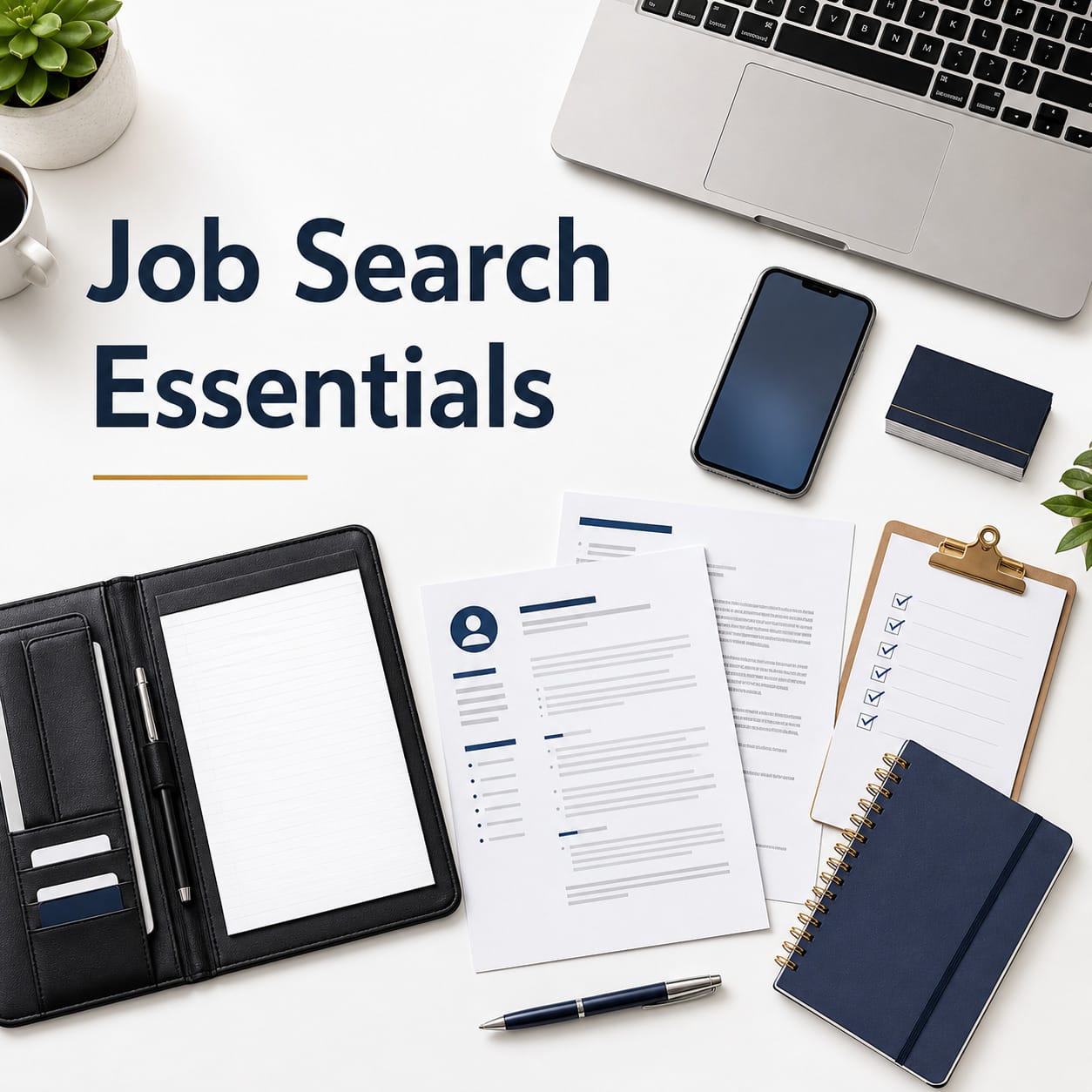
Job search essentials curated to help you prepare, stay organized, improve your resume, and approach interviews with more confidence.
Next Steps
- Test Locations: Compare noise, daylight, privacy, electrical access, video backgrounds, and Wi-Fi performance in two possible work areas.
- Adjust Ergonomics: Set chair height, back support, monitor position, keyboard placement, mouse location, and foot support for neutral alignment.
- Prioritize Purchases: List the three problems affecting work most, then buy only equipment that directly addresses those needs.
- Secure Devices: Enable updates and multifactor authentication, follow employer access rules, and create protected storage for confidential papers.
- Review Results: Use the workspace for two weeks, record recurring problems, and make one targeted adjustment at a time.
Final Words
A strong home office is a working system, not a collection of fashionable products. Build it around the tasks you perform, the equipment your body can use comfortably, and the boundaries your household needs. Test inexpensive changes before renovating or replacing furniture, protect work information, and revisit the setup as your role changes. The most effective space is the one that helps you work consistently and still leave work behind at the end of the day.
Additional Resources
-

$69.99$59.99Learn MoreThis ergonomic high-back mesh office chair offers adjustable comfort, foldable padded armrests, breathable back support, a cushioned seat, sturdy 300-pound capacity, and smooth 360-degree mobility for work or study.
We earn a commission if you click this link and make a purchase at no additional cost to you.
10/03/2026 11:30 am GMT -
 $99.99Learn More
FEZIBO standing desk has reliable motor that could support height adjustment between 28.3''-45'' with low noise(under 50 dB) while running
We earn a commission if you click this link and make a purchase at no additional cost to you.
10/03/2026 03:37 am GMT -
 $33.95Learn More
100 % SEALED AND LEAK PROOF: Auto seal technology automatically seals between sips to prevent leaks and spills; lid-lock prevents the Auto seal button from accidentally being pushed while on the go
We earn a commission if you click this link and make a purchase at no additional cost to you.
10/03/2026 07:33 am GMT -
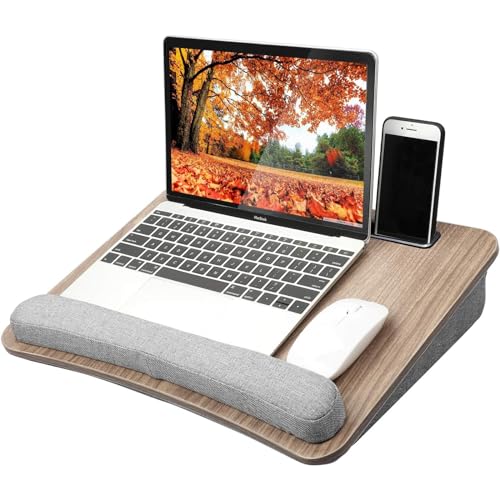
$28.99$27.54Learn MorePERFECT SIZE for LAPTOPS: The laptop desk is 16.54 x 11.81 x 3.35 inches in size and can fit laptops up to 15.6 inches. There is enough surface space for a mouse only when used with laptops that are 14” in size or smaller.
We earn a commission if you click this link and make a purchase at no additional cost to you.
10/03/2026 07:34 am GMT -
 $69.99Learn More
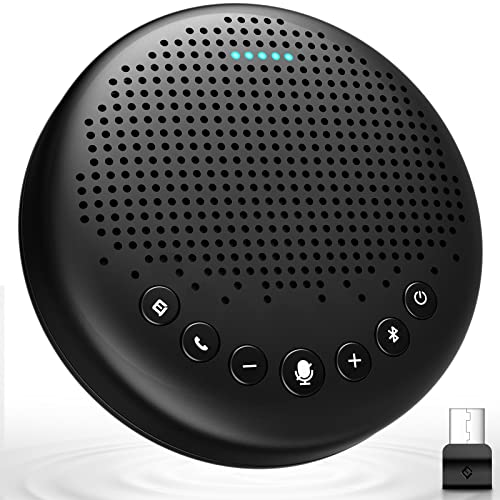
EMEET Conference Speaker and Microphone Luna 360° Voice Pickup w/Noise Reduction/Mute/Indicator USB Bluetooth Speakerphone w/Dongle for 8 People Daisy Chain for 16 Compatible with Leading Software
We earn a commission if you click this link and make a purchase at no additional cost to you.
09/23/2026 02:37 pm GMT -
 $19.99Learn More
Foldable iPad Pro Holder Portable Monitor Stand, Travel Home Office Desk Accessories Compatible with 4-15.6" Kindle iPad Tab iPhone - Black
We earn a commission if you click this link and make a purchase at no additional cost to you.
10/02/2026 11:31 pm GMT -
 $9.97Learn More
This 360 degree rotating floral desk organizer features seven compartments for office or personal items, is made of durable metal mesh with a sleek matte finish, and makes a practical yet stylish gift for any occasion.
We earn a commission if you click this link and make a purchase at no additional cost to you.
10/02/2026 03:32 pm GMT -
 $37.99Learn More
A versatile bamboo desk organizer with expandable storage, multiple compartments, and drawers, designed to reduce clutter while keeping office supplies, papers, and accessories neatly organized.
We earn a commission if you click this link and make a purchase at no additional cost to you.
10/02/2026 09:33 pm GMT -

$19.95$17.25Lean MoreDesk Yoga offers approachable stretching and wellness practices that are easy to incorporate into your workday routine, wherever your office might be.
We earn a commission if you click this link and make a purchase at no additional cost to you.
10/02/2026 11:31 pm GMT -
 $8.99Learn More
USB C to USB C Cable 480Mbps Data Transfer, Thunderbolt 3 for MacBook Android Auto External SSD Type C Devices(1 Pack/0.49ft)
We earn a commission if you click this link and make a purchase at no additional cost to you.
10/03/2026 01:30 am GMT -

$45.99$39.99Learn MoreAir Purifier For Smoke Pollen Dander Hair Smell Air Cleaner with Sleep Mode Speed Control For Bedroom Officeite
We earn a commission if you click this link and make a purchase at no additional cost to you.
10/03/2026 09:28 am GMT -
$21.87Learn More
LIVE INDOOR PLANTS: Includes 4 hanging plants like marble queen pothos, golden pothos, silver satin pothos, Hawaiian, and more in 4” nursery pots. Indulge in climbing plants and other small house plants for delivery prime - order today, unbox fast.
We earn a commission if you click this link and make a purchase at no additional cost to you.
10/02/2026 11:31 pm GMT -
 $39.97Learn More
A multifunctional desk organizer that raises your monitor for better ergonomics while keeping everything within reach, with a built-in phone/tablet holder, customizable compartments, and side caddies for extra storage.
We earn a commission if you click this link and make a purchase at no additional cost to you.
10/03/2026 01:29 am GMT -
 $24.69Learn More
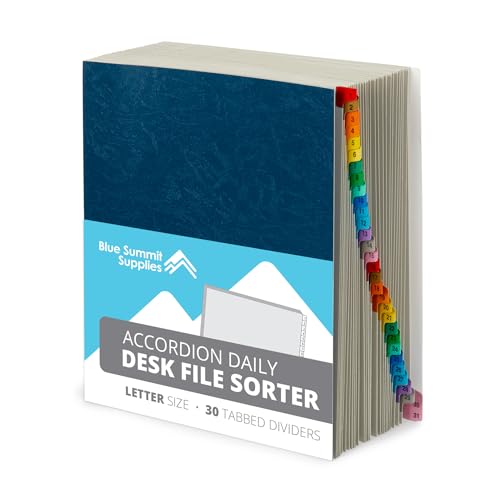
31-tab expanding desk file organizer for keeping bills, invoices, receipts, and documents sorted by day. It holds letter-size papers, expands for larger stacks, opens flat for easy access, and has reinforced accordion sides for durability at home or in the office.
We earn a commission if you click this link and make a purchase at no additional cost to you.
10/01/2026 08:29 am GMT -
 $25.99Learn More
A compact glass desktop whiteboard that fits between your keyboard and monitor, offering a smooth dry-erase surface, hidden storage and device trays, and all included accessories to keep notes, tools, and your workspace neatly organized.
We earn a commission if you click this link and make a purchase at no additional cost to you.
10/03/2026 04:32 am GMT -
 $13.99Learn More
Non-Slip PU Leather Desk Blotter, Waterproof Laptop Writing Mouse Pad for Office and Home, Black, 31.5" x 15.7"
We earn a commission if you click this link and make a purchase at no additional cost to you.
10/03/2026 02:29 am GMT -

$129.99$99.97Learn MoreErgonomic Gaming Chair with Lumbar Support, 2D Headrest, Adjustable Armrests, Contoured Seat Cushion, Computer Desk Chair with Wheels for Home and Office
We earn a commission if you click this link and make a purchase at no additional cost to you.
10/03/2026 11:28 am GMT -

$29.99$26.99Learn MoreThe OHAYO T10 open-ear Bluetooth headphones deliver immersive quad-speaker audio, ultra-light 8g comfort, 40-hour battery life, IPX6 waterproof durability, and intuitive touch controls for secure, all-day listening.
We earn a commission if you click this link and make a purchase at no additional cost to you.
10/03/2026 02:29 am GMT -

$16.99$15.99Learn MorePowder-coated steel monitor stand with perforated holes for better airflow, helping keep laptops and printers cooler while adding sturdy desk support.
We earn a commission if you click this link and make a purchase at no additional cost to you.
10/03/2026 11:30 am GMT

Mark Fiebert is a former finance executive who hired and managed dozens of professionals during his 30-plus-year career. He now shares expert job search, resume, and career advice on CareerAlley.com.