- Key Takeaways
- Define the Problem Before Comparing Platforms
- Calculate the Full Cost of Ownership
- Prioritize Real Estate-Specific Workflows
- Verify Integrations and Data Portability
- Review Automation, AI, and Security
- Test Usability, Reporting, and Support
- Plan Migration and Future Growth
- Further Guidance & Tools
- Next Steps
- Final Words
- Additional Resources
We may earn a commission if you click on a product link and make a purchase at no additional cost to you. For more information, please see our disclosure policy.
Last updated: July 15, 2026
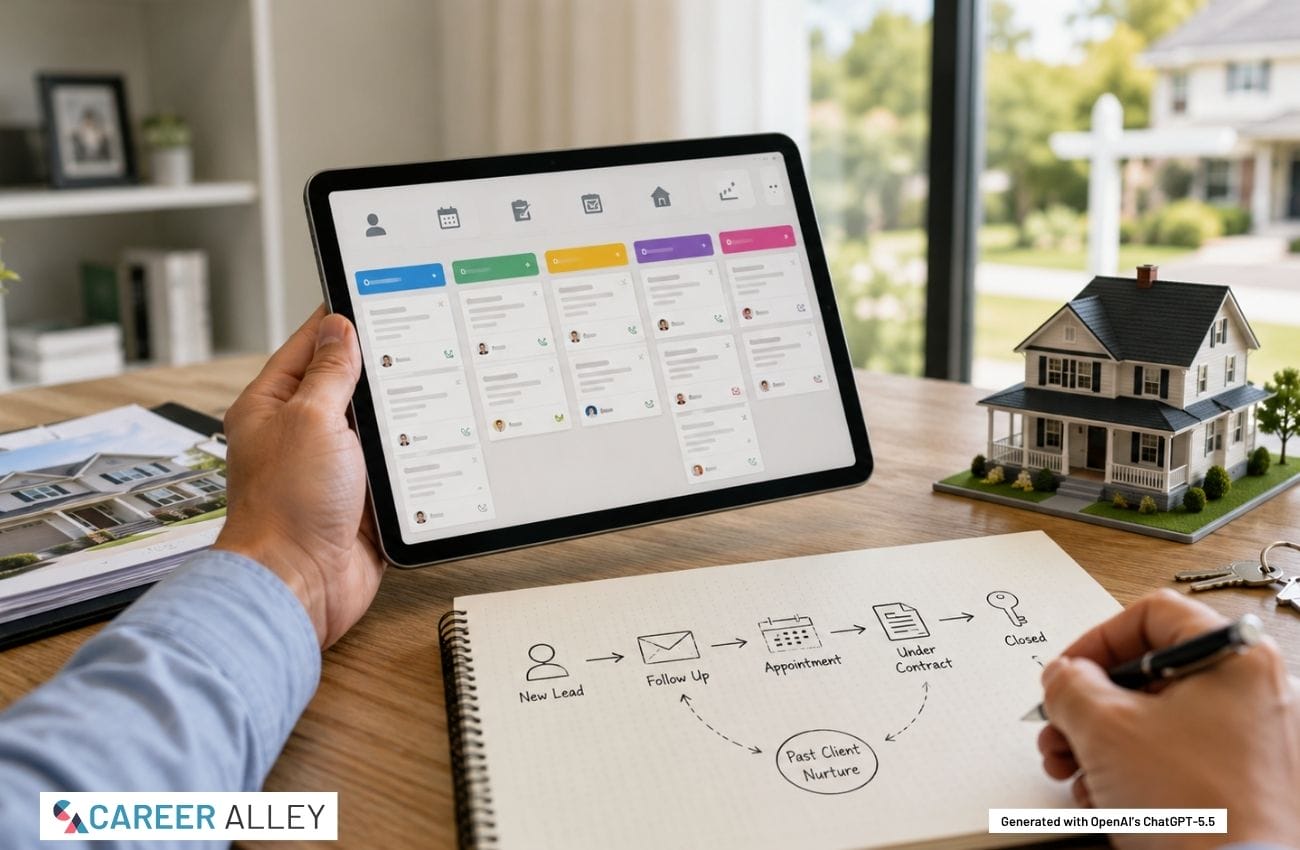
Key Takeaways
- Workflow First: Choose a CRM around your actual lead, client, listing, and transaction process rather than the longest available feature list.
- Total Cost: Compare setup, training, data migration, texting,
email , add-ons, and extra-user charges, not only the advertised monthly price. - Integration Fit: Confirm the CRM connects reliably with your
email , calendar, website forms, lead sources, transaction tools, andaccounting workflow. - Security Matters: Require strong access controls, multifactor authentication, backups, export options, and clear policies for client data and AI features.
- Test Adoption: Use a trial with real scenarios and involve the people who will enter data, follow up, and review reports.
A real estate CRM should help you respond faster, stay organized, and build stronger relationships without creating more administrative work. The best choice is not automatically the platform with the most features. It is the system that fits how you attract leads, communicate with clients, manage listings, coordinate transactions, and follow up after closing.
A solo agent, a growing team, and a brokerage may need very different workflows, permissions, reporting, and support. Agents still building their business foundation may also find useful planning ideas in Before You Are Licensed: 13 Actions To Jump Start Your Future Real Estate Career.
If however you aren't sitting on a pile of cash, you have no choice but to hit the ground running the minute you are licensed. This short and simple guide will teach you how. Right now, with Before You Are Licensed


Define the Problem Before Comparing Platforms
Begin with a short workflow audit. Write down how a new lead enters your business, who responds, how appointments are scheduled, where documents are stored, and how long-term follow-up is handled. Look for missed handoffs, duplicate entries, forgotten contacts, and reports you cannot currently produce.
Separate essential requirements from features that are merely convenient. Your list may include contact management, lead-source tracking, task reminders, pipeline stages,
LT70 Laser Measure, 229ft/70m Laser Measurement Tool, with 2 Bubble Levels, Measuring Tool 4 Units Conversion、LCD Backlit Display, IP54 Waterproof, Pythagorean Mode for Distance, Area, Volume

Calculate the Full Cost of Ownership
The advertised subscription price rarely tells the whole story. Ask what is included at the level you are considering and which functions require a higher tier. Additional costs may involve onboarding, data migration, extra users, texting, calling,
Compare costs over at least one full year, including the time required to administer the system. A cheaper CRM can become expensive if it requires multiple add-ons or duplicate entry. A more capable platform may still be poor value when the team uses only a small portion of it.
Prioritize Real Estate-Specific Workflows
A general CRM may suit an agent with a simple sales process, while a specialized platform may provide real estate workflows out of the box. For example, a dedicated real estate CRM platform may be organized around referrals, listings, transactions, property-related communications, and long-term relationship management.
Do not assume that an industry label guarantees a better fit. During a demonstration, ask the vendor to show how the system handles your process rather than a polished generic example. Test whether you can:
- Capture leads from your website, advertising, referrals, open houses, and major lead sources without repeated manual entry.
- Create different follow-up plans for buyers, sellers, past clients, prospects, vendors, and referral partners.
- Track appointments, listings, transaction deadlines, client communications, and post-closing contact in one understandable record.
- Assign leads and tasks while controlling what agents, assistants, or transaction coordinators can view and change.
Portable Document Scanner, AOZBZ 900DPI Handheld Image Scanner, Scanning Wand,A4 Colour Photo Mobile Scanner Handy Scan (JPG/PDF Format, High Speed USB 2.0, Included 16G SD Card) : Office ...

Verify Integrations and Data Portability
Check compatibility with your business
Confirm which direction the data flows, how often it synchronizes, what happens when fields conflict, and whether the connection incurs extra costs. Also verify that you can export contacts, notes, activities, tags, custom fields, tasks, and other important records in a usable format. Data portability reduces the risk of becoming trapped in a system that no longer fits.
Review Automation, AI, and Security
Automation can assign leads, create tasks, trigger follow-up sequences, and alert agents when a contact needs attention. AI-assisted features may summarize conversations, draft messages, prioritize leads, or identify incomplete records. These tools can save time, but they should support professional judgment rather than replace it.
Ask what data an AI feature uses, whether client information is retained, and whether administrators can control access. Require multifactor authentication, role-based permissions, secure backups, audit logs, and a process for removing access when someone leaves. Review automated communications before they represent your business, particularly when they involve financial details, negotiations, deadlines, or fair housing concerns.
A compact USB-C rechargeable tactical flashlight with dual light sources, seven modes, memory function, magnetic base, and pocket clip for everyday use, emergencies, and hands-free tasks.

Test Usability, Reporting, and Support
A CRM fails when people avoid using it. During a trial, complete normal tasks on both a computer and a phone. Add a lead, schedule follow-up, log a call, update a pipeline stage, assign a task, and generate a report. Notice how many steps each action requires and whether the information remains understandable.
Reporting should answer practical questions, such as: Which lead sources produce appointments and closings? How quickly are new inquiries contacted? Which prospects have gone quiet? What deadlines are approaching? Also compare onboarding, live assistance, training, response times, and help with migration or integrations.
Plan Migration and Future Growth
Before moving data, remove duplicates, standardize fields, identify inactive records, and decide what is worth transferring. Map old fields to the new system, run a small test import, keep a secure backup, and verify that notes, categories, relationships, and activity history arrived correctly.
Choose a system that can support your likely next stage without forcing you to buy for a business you do not yet have. Consider users, territories, teams, permissions, pipelines, and reporting. CareerAlley’s guide to choosing a profitable business niche can clarify the market your systems should support. New agents can also use the guide to becoming a real estate agent to connect software decisions with broader career preparation.
Logitech Brio 101 Full HD 1080p Webcam for Meetings, Streaming, Desktop, Laptop, PC - Built-in Mic, Shutter, Works with Zoom, Microsoft Teams, Nintendo Switch 2s New GameChat Mode, USB-A,-...

Further Guidance & Tools
- CRM Selection: The National Association of REALTORS CRM guidance provides a practical framework for evaluating fit and everyday usability.
- Migration Planning: The HubSpot CRM migration checklist outlines data cleanup, field mapping, test imports, and post-migration verification.
- Integration Basics: The Salesforce CRM integration guide explains how connected applications synchronize information and reduce disconnected workflows.
- Security Checklist: The CISA small-business cybersecurity guidance offers practical steps for strengthening accounts, devices, backups, and employee security practices.
Next Steps
- Map Workflows: Document how leads, appointments, listings, transactions, and past-client follow-up currently move through your business.
- Rank Requirements: Separate essential capabilities from optional features, then eliminate platforms that cannot meet the essential list.
- Compare Costs: Build a 1-year estimate that includes onboarding, migration, users, messaging, integrations, support, and likely add-ons.
- Run Tests: Complete real tasks in each trial and ask each intended user to record any delays and missing features.
- Plan Migration: Clean and back up existing data, map fields, test a small import, and verify records before full deployment.
A multifunctional desk organizer that raises your monitor for better ergonomics while keeping everything within reach, with a built-in phone/tablet holder, customizable compartments, and side caddies for extra storage.

Final Words
The right real estate CRM should make disciplined follow-up easier, give you a trustworthy view of your pipeline, and reduce disconnected tools and manual work. Choose based on demonstrated workflow fit, realistic total cost, reliable integrations, security, data portability, and user adoption. A careful trial and migration plan will usually produce a better decision than a long feature list or an impressive sales demonstration.
Additional Resources
-
$21.99Learn More
LT70 Laser Measure, 229ft/70m Laser Measurement Tool, with 2 Bubble Levels, Measuring Tool 4 Units Conversion、LCD Backlit Display, IP54 Waterproof, Pythagorean Mode for Distance, Area, Volume
We earn a commission if you click this link and make a purchase at no additional cost to you.
10/10/2026 01:46 pm GMT -
$5.95Learn More
If however you aren't sitting on a pile of cash, you have no choice but to hit the ground running the minute you are licensed. This short and simple guide will teach you how. Right now, with Before You Are Licensed
We earn a commission if you click this link and make a purchase at no additional cost to you.
10/10/2026 09:36 am GMT -
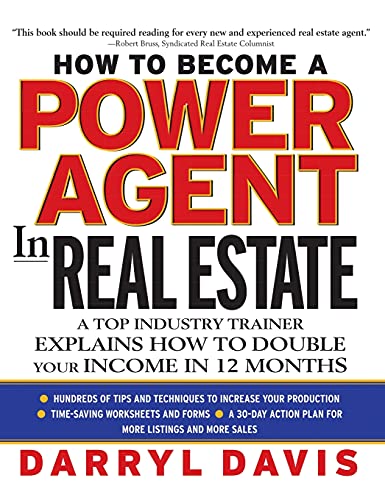
$40.00$17.04Learn MoreHow to Become a Power Agent in Real Estate gives real estate agents both the powerful sales techniques and the practical management tips they need to double their income by closing more transactions.
We earn a commission if you click this link and make a purchase at no additional cost to you.
10/10/2026 07:31 pm GMT -
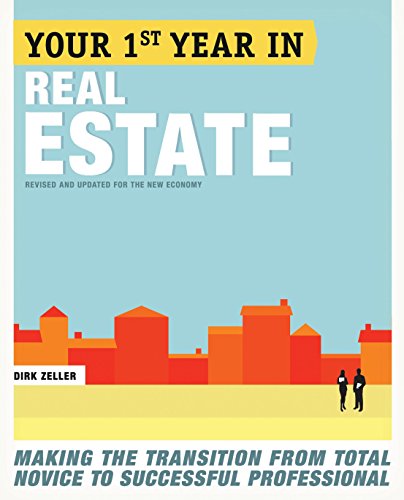
$23.00$21.40Learn MoreDirk Zeller shares key strategies for new agents, covering company selection, networking, online marketing, and goal setting for real estate success.
We earn a commission if you click this link and make a purchase at no additional cost to you.
10/10/2026 09:36 am GMT -
 $9.95Learn More
Jim has helped hundreds of new, and experienced, real estate agents reach their career goals, using easy, but powerful, selling strategies and techniques. You will learn from realistic case stories how superstar agents break away from being ordinary, and rise to extraordinary.
We earn a commission if you click this link and make a purchase at no additional cost to you.
10/10/2026 07:28 pm GMT -
 $12.99Learn More
A compact, shockproof, and water-resistant EVA carrying case made specifically for the Anker 25,000mAh 165W power bank, with secure straps, accessory storage, and quick-access dual zippers.
We earn a commission if you click this link and make a purchase at no additional cost to you.
10/10/2026 04:31 pm GMT -
 $24.99Learn More
Slim Portfolio Folio Organizer Holder for Letter Legal A4 Note Pads Notebooks for Men Women Refillable Business Leather Portfolio Binder, Dark...
We earn a commission if you click this link and make a purchase at no additional cost to you.
10/10/2026 08:31 am GMT -
$56.99Learn More
Portable Document Scanner, AOZBZ 900DPI Handheld Image Scanner, Scanning Wand,A4 Colour Photo Mobile Scanner Handy Scan (JPG/PDF Format, High Speed USB 2.0, Included 16G SD Card) : Office ...
We earn a commission if you click this link and make a purchase at no additional cost to you.
10/10/2026 12:39 pm GMT -
$17.99Learn More
A compact USB-C rechargeable tactical flashlight with dual light sources, seven modes, memory function, magnetic base, and pocket clip for everyday use, emergencies, and hands-free tasks.
We earn a commission if you click this link and make a purchase at no additional cost to you.
10/10/2026 10:31 am GMT -
 $9.97Learn More
This 360 degree rotating floral desk organizer features seven compartments for office or personal items, is made of durable metal mesh with a sleek matte finish, and makes a practical yet stylish gift for any occasion.
We earn a commission if you click this link and make a purchase at no additional cost to you.
10/09/2026 10:29 pm GMT -
 $24.99Learn More
A compact glass desktop whiteboard that fits between your keyboard and monitor, offering a smooth dry-erase surface, hidden storage and device trays, and all included accessories to keep notes, tools, and your workspace neatly organized.
We earn a commission if you click this link and make a purchase at no additional cost to you.
10/10/2026 11:31 am GMT -
 $29.99Learn More
The OHAYO T10 open-ear Bluetooth headphones deliver immersive quad-speaker audio, ultra-light 8g comfort, 40-hour battery life, IPX6 waterproof durability, and intuitive touch controls for secure, all-day listening.
We earn a commission if you click this link and make a purchase at no additional cost to you.
10/10/2026 08:34 am GMT

Mark Fiebert is a former finance executive who hired and managed dozens of professionals during his 30-plus-year career. He now shares expert job search, resume, and career advice on CareerAlley.com.