- Key Takeaways
- Why This Question Matters for Virtual Interviews
- What a Ring Light Actually Does on Camera
- Pros of Using a Ring Light for Virtual Interviews
- Cons of Using a Ring Light for Virtual Interviews
- When a Ring Light Makes the Most Sense
- How to Use a Ring Light Without Looking “Overlit”
- Common Ring Light Mistakes in Virtual Interviews
- Alternatives That Can Work Just as Well
- What to Look for If You Buy One
- Next Steps
- Key Takeaways
- Further Guidance & Tools
- Final Words
- Additional Resources
We may earn a commission if you click on a product link and make a purchase at no additional cost to you. For more information, please see our disclosure policy.
Last updated: January 22, 2026
By Mark Fiebert
Key Takeaways
- First Impressions: Lighting plays a major role in virtual interviews, shaping how alert, confident, and professional you appear before you even begin answering questions.
- Ring Light Benefits: When used correctly, a ring light improves facial clarity, reduces harsh shadows, and helps webcams deliver a cleaner, more polished image.
- Potential Downsides: Ring lights can look artificial or distracting if they are too bright, poorly positioned, or mismatched with the room’s existing lighting.
- Proper Setup: Eye-level placement, moderate brightness, and natural color temperature are essential to achieving a professional look without appearing overproduced.
- Viable Alternatives: Natural window light or simple desk lamps can often provide equally effective results when positioned correctly, especially in well-lit spaces.
Why This Question Matters for Virtual Interviews
In a virtual interview, your camera is your handshake. If the lighting is bad, you can look tired, washed out, or shadowy—even when you’re fully prepared and bringing great answers. A ring light is one of the simplest fixes, but it’s not automatically the right choice for everyone. Used well, it makes you look clear, alert, and professional. Used poorly, it can make you look artificial or distractingly “influencer-ish.”
This article breaks down the real pros and cons of ring lights specifically for virtual interviews, plus practical setup guidance so you can decide whether to buy one—and how to use it without overdoing it.

Cyezcor Video Conference Lighting Kit, Ring Light for Monitor Clip On,for Remote Working, Distance Learning,Zoom Call, Self Broadcasting and Live Streaming, Computer Laptop Video Conferen...

What a Ring Light Actually Does on Camera
Most webcams struggle in normal indoor lighting. They boost exposure and smooth details, which can blur your face, increase digital noise, or exaggerate shadows. A ring light helps by putting an even, forward-facing light source close to the camera lens. That reduces harsh shadows and improves how your face is rendered by the camera.
- It reduces contrast: Less shadow under the eyes, fewer dark areas around the face.
- It increases clarity: Webcams perform better when they don’t have to “work” to brighten a dim scene.
- It improves consistency: Your lighting doesn’t change every time the sun moves or a lamp shifts.
Pros of Using a Ring Light for Virtual Interviews
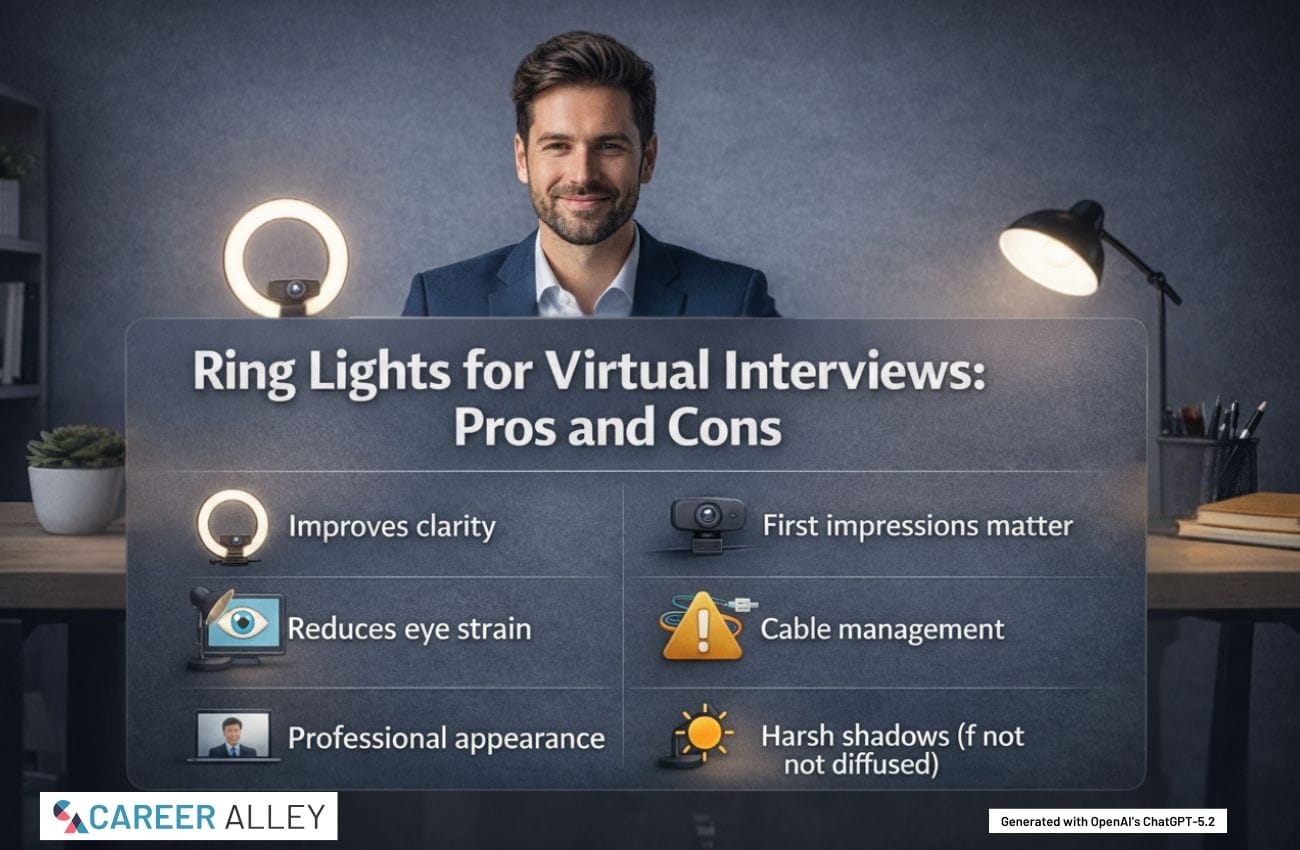
- Better first impression on video: Clear, even lighting helps you look more awake, engaged, and confident within the first few seconds.
- Fewer unflattering shadows: Overhead lights create the classic “raccoon eyes” effect. A ring light fills those shadows.
- Webcam quality looks instantly higher: You can make a basic webcam look noticeably sharper with better lighting alone.
- Works in small spaces: If you don’t have a perfect window setup, a ring light can create a reliable baseline anywhere.
- Easy to learn: You don’t need studio
skills . Most ring lights have simple brightness and color controls.

This book is all about how best to nail the online virtual interview for jobs. On perusing the book, you will be knowing how to prepare for online interview and how to deliver, for in the end, employer would like to hire you.
Cons of Using a Ring Light for Virtual Interviews
- Can look unnatural if too bright: Over-lighting washes out your skin tone and can make your face look flat or overly shiny.
- Positioning mistakes are common: Too high creates weird shadows; too low gives “campfire” lighting; too close makes you look blown out.
- Glare can be distracting: Glasses can reflect the ring, and you can end up with a visible “halo” reflection in your lenses.
- Cheap models can flicker: Flicker may not be obvious to your eyes, but it can show up on camera and make the video look unstable.
- It can signal overproduction in some settings: Most companies won’t care, but a hyper-polished setup can feel mismatched for very traditional roles if you push it too far.
When a Ring Light Makes the Most Sense
A ring light is usually a smart buy if any of the following are true:
- You do interviews in the evening or in a room without good natural light.
- Your current setup makes you look dim, grainy, or shadowy.
- You’re interviewing repeatedly and want a stable, repeatable setup.
- You do video calls for networking, client work, freelancing, or consulting—not just interviews.
If you have a large window directly in front of you with soft daylight most of the day, you may not need one. In that case, you might do better with minor adjustments (camera height, background, and a small lamp for fill).

How to Prepare, Perform and Follow Up (Obvious Candidate Job Search Acceleration Series Book 3)
How to Use a Ring Light Without Looking “Overlit”
The goal is not to look like you’re filming a show. The goal is to look like your best self in a typical professional conversation. Here’s the setup that works most consistently:
- Place it at eye level: Ideally, the center of the ring is aligned with your webcam lens.
- Keep it slightly above your eyes: A small upward angle is flattering and reduces harsh shadowing.
- Back it up: Don’t put it inches from your face. Give it a little distance so the light spreads evenly.
- Turn it down more than you think: Start low and raise brightness slowly until your face is clear, not glowing.
- Match your room lighting: If your room is warm (yellow lamps), use a warmer setting. If it’s daylight, use a neutral/cooler setting.
Quick test: open your video preview and look at your forehead, cheeks, and under-eye area. If your skin looks shiny or “flattened,” the light is too bright or too direct.
Common Ring Light Mistakes in Virtual Interviews
- Light behind you: A bright window or lamp behind your head turns you into a silhouette. Fix this before anything else.
- Only overhead lighting: Ceiling lights create shadows under the eyes and nose. Add a front light or move the main light source forward.
- Ring light too close: This causes washed-out skin and makes webcam exposure bounce around when you move.
- Ignoring background brightness: If your face is bright but the background is dark, it can look like a dramatic spotlight. Balance matters.
- Glasses reflection: Tilt the ring light slightly up or to the side, or raise it a bit higher so reflections bounce away from the camera.

Logitech H390 Wired Headphones with Mic, USB-A Headset with Microphone for PC, Noise Cancelling Microphone for Video Meetings, Music, Gaming - Black : Electronics
Alternatives That Can Work Just as Well
If you don’t want a ring light, you still have solid options:
- Window light (best free option): Face a window. Keep the window slightly off-center if glare is an issue.
- Two small lamps: Place one lamp on each side of your monitor for a softer, more natural look.
- A single soft desk lamp: Put it behind your webcam and bounce the light off a wall if it’s too harsh.
- Monitor light bar: A subtle, clean lighting solution that’s less “ring light” and more professional desk setup.
In many cases, a simple lamp placed correctly beats an expensive ring light used incorrectly.
What to Look for If You Buy One
If you’re adding ring lights as Lasso products, focus on features that directly improve interview outcomes, not influencer features:
- Adjustable brightness: Non-negotiable. You need control to avoid over-lighting.
- Adjustable color temperature: Helps match your room lighting so your skin tone looks natural.
- Stable stand: A wobbly light is a constant annoyance and can shift during the call.
- Flicker-free claim: Look for this specifically; cheap LEDs can flicker on camera.
- Size that fits your space: Bigger isn’t always better. A medium ring light is often enough for a desk interview setup.

Small Mistakes, Big Consequences for Interviews is a lighthearted look at the top 20 interviewing mistakes that people make without realizing the potential consequences. Learn how to identify these common character mistakes that can make or break your interview—and hiring prospects.
Next Steps
- Do a 60-second camera test in your interview space at the same time of day as your interview.
- Fix backlighting first: make sure the brightest light source is in front of you, not behind you.
- Try the “low brightness” rule: add light gradually until your face is clear and natural.
- If you wear glasses, test for reflections and adjust the light slightly higher or off-center.
- If you’re interviewing often, standardize your setup so every call looks consistently professional.
Key Takeaways
- First Impression: In virtual interviews, lighting affects how alert and professional you look before you even answer the first question.
- Use It Gently: A ring light works best at low-to-moderate brightness so your face looks natural rather than overlit.
- Placement Matters: Eye-level positioning near the camera reduces harsh shadows and improves webcam clarity immediately.
- Watch for Glare: Glasses reflections and shiny skin are common issues that are usually fixed with small angle and brightness changes.
- Alternatives Exist: A window or two small lamps can deliver a professional look without a ring light if positioned correctly.

Bluetooth 5.3 Wireless Sports Headphones with Digital Display Charging Case 40 Hours Playtime True Earbuds with Earhooks for Running, Walking, Workout
Further Guidance & Tools
- Lighting Basics: Use Zoom’s guidance on lighting concepts to avoid washout and create a balanced, professional on-camera look.
- Video Interview Setup: Follow Indeed’s video interview guide for practical tips on front lighting, background, and tech checks before you join.
- Teams Video Controls: Review Microsoft’s Teams video settings to improve brightness and polish your video when your lighting is less than ideal.
- Virtual Interview Prep: Use Harvard Business School Online’s virtual interview tips to strengthen your overall presence and preparation beyond just lighting.
- Quick Checklist: Grab Rutgers’ virtual interview tips PDF for a fast, printable checklist covering lighting, background, and distractions.
Final Words
A ring light is not a magic trick—and it’s not required. But for many candidates, it’s the simplest way to fix the “I look terrible on video” problem that quietly hurts confidence and first impressions. If you choose one, keep it subtle: eye level, low brightness, natural color, and balanced with your room. The goal is to look clear, calm, and credible—so the interviewer focuses on your answers, not your lighting.
Additional Resources
-
 $25.99Learn More
Business Portfolio with Zipper - Padfolio All-in-One. Smartest Protective 10.1 Inch Tablet Sleeve, Presentation Slot, Solar Calculator, Card Storage, ...
We earn a commission if you click this link and make a purchase at no additional cost to you.
02/16/2026 12:06 pm GMT -
 $24.99Learn More
Slim Portfolio Folio Organizer Holder for Letter Legal A4 Note Pads Notebooks for Men Women Refillable Business Leather Portfolio Binder, Dark...
We earn a commission if you click this link and make a purchase at no additional cost to you.
02/16/2026 12:06 pm GMT -

$39.99$24.99Learn MoreLogitech Brio 101 Full HD 1080p Webcam for Meetings, Streaming, Desktop, Laptop, PC - Built-in Mic, Shutter, Works with Zoom, Microsoft Teams, Nintendo Switch 2s New GameChat Mode, USB-A,-...
We earn a commission if you click this link and make a purchase at no additional cost to you.
02/17/2026 10:00 am GMT -

$54.99$49.99Learn MoreEMEET NOVA 4K Webcam for PC - Ultra 4K HD, PDAF Autofocus, Dual Noise-Cancelling Mics, 73 FOV, Auto Light Correction, USB-A, Privacy Cover, Ideal for High-End Business Meetings&Live St...
We earn a commission if you click this link and make a purchase at no additional cost to you.
02/17/2026 10:00 am GMT -
$24.99$20.99Learn MoreLogitech H390 Wired Headphones with Mic, USB-A Headset with Microphone for PC, Noise Cancelling Microphone for Video Meetings, Music, Gaming - Black : Electronics
We earn a commission if you click this link and make a purchase at no additional cost to you.
02/17/2026 08:06 am GMT -
$26.99$21.99Learn MoreCyezcor Video Conference Lighting Kit, Ring Light for Monitor Clip On,for Remote Working, Distance Learning,Zoom Call, Self Broadcasting and Live Streaming, Computer Laptop Video Conferen...
We earn a commission if you click this link and make a purchase at no additional cost to you.
02/16/2026 12:07 pm GMT -

$18.99$16.99Learn MoreLepro Clip on Desk Lamp LED Reading light Dimmable USB Small Clamp Lamp with 3 Color Modes 10 Brightness, Adjustable Flexible Gooseneck Table Light for Bed Headboard, Nail, Home Office,Computer(Black)...
We earn a commission if you click this link and make a purchase at no additional cost to you.
02/16/2026 07:03 pm GMT -

$30.00$25.50Learn MoreJason Markk Starter Box, Shoe Cleaning Kit, 6-Piece Set, Deep Cleaning Solutions, Two Brushes, & Microfiber Towel, Sneaker Care, Ideal for Footwear, Safe on Leather, Suede, Nubuck, Cot...
We earn a commission if you click this link and make a purchase at no additional cost to you.
02/16/2026 12:07 pm GMT -

$29.99$27.99Learn MoreUrmust Laptop Notebook Stand Holder Adjustable Laptop Stand Portable Computer Riser Compatible with MacBook Air Pro HP Dell XPS Lenovo All Laptops 10-15.6"(Black) : Electronics
We earn a commission if you click this link and make a purchase at no additional cost to you.
02/16/2026 12:07 pm GMT -
 $17.97Learn More
U Brands Contempo Magnetic Dry Erase Board White Board, 11" x 14", Blue Modern Frame, Includes Magnet and Marker : Office Products
We earn a commission if you click this link and make a purchase at no additional cost to you.
02/16/2026 12:07 pm GMT -
$49.99Learn More
Bluetooth 5.3 Wireless Sports Headphones with Digital Display Charging Case 40 Hours Playtime True Earbuds with Earhooks for Running, Walking, Workout
We earn a commission if you click this link and make a purchase at no additional cost to you.
02/16/2026 07:02 pm GMT -
$20.00Learn More
This book is all about how best to nail the online virtual interview for jobs. On perusing the book, you will be knowing how to prepare for online interview and how to deliver, for in the end, employer would like to hire you.
We earn a commission if you click this link and make a purchase at no additional cost to you.
02/17/2026 05:01 am GMT -
 0Learn More
This book reveals exactly what happens behind closed doors after you leave the room. It strips away the fluff and gives you the business logic to turn an interview into an offer.
We earn a commission if you click this link and make a purchase at no additional cost to you.
02/16/2026 03:04 pm GMT -
 $69.99Learn More
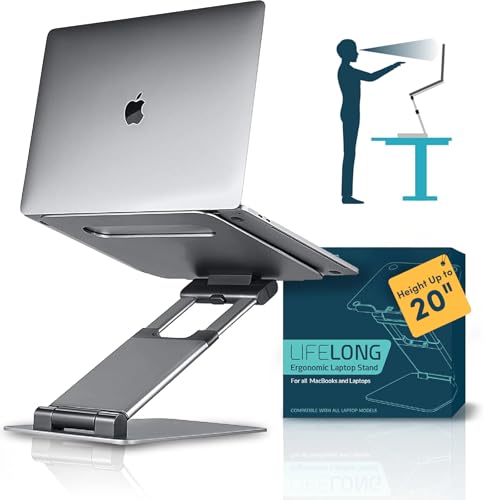
Lifelong Ergonomic Adjustable Laptop Stand for Desk - Height Up to 20" Portable Computer Laptop Riser Holder, Fits All MacBook Air & 10 15 17 Inches Laptops, Back to School Gift for Men &...
We earn a commission if you click this link and make a purchase at no additional cost to you.
02/17/2026 11:00 am GMT -
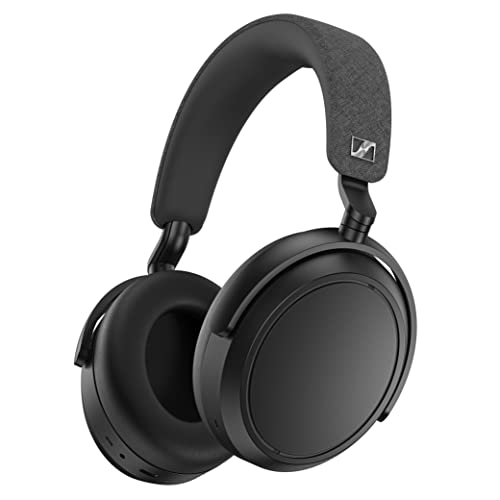
$449.95$279.00Learn MoreBluetooth Headset for Crystal-Clear Calls with Adaptive Noise Cancellation, 60h Battery Life and Customizable Sound, Black.
We earn a commission if you click this link and make a purchase at no additional cost to you.
02/17/2026 08:06 am GMT -
 $65.99Learn More
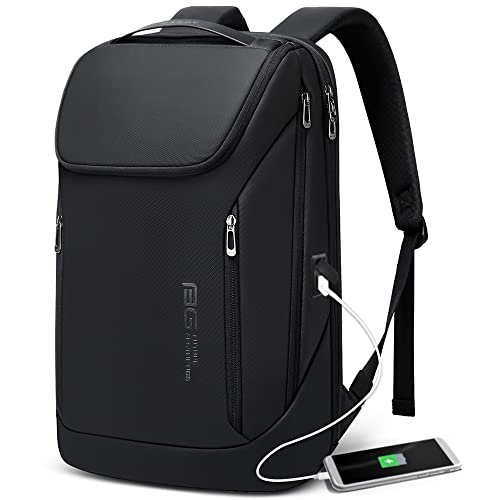
Waterproof fit 15.6 Inch Laptop Backpack with USB Charging Port,Commuter Travel Durable Backpack (Black)
We earn a commission if you click this link and make a purchase at no additional cost to you.
02/17/2026 11:00 am GMT -
 $39.97Learn More
A multifunctional desk organizer that raises your monitor for better ergonomics while keeping everything within reach, with a built-in phone/tablet holder, customizable compartments, and side caddies for extra storage.
We earn a commission if you click this link and make a purchase at no additional cost to you.
02/17/2026 08:01 am GMT

Mark Fiebert is a former finance executive who hired and managed dozens of professionals during his 30-plus-year career. He now shares expert job search, resume, and career advice on CareerAlley.com.