We may earn a commission if you click on a product link and make a purchase at no additional cost to you. For more information, please see our disclosure policy.
Last updated: March 5, 2026
Key Takeaways
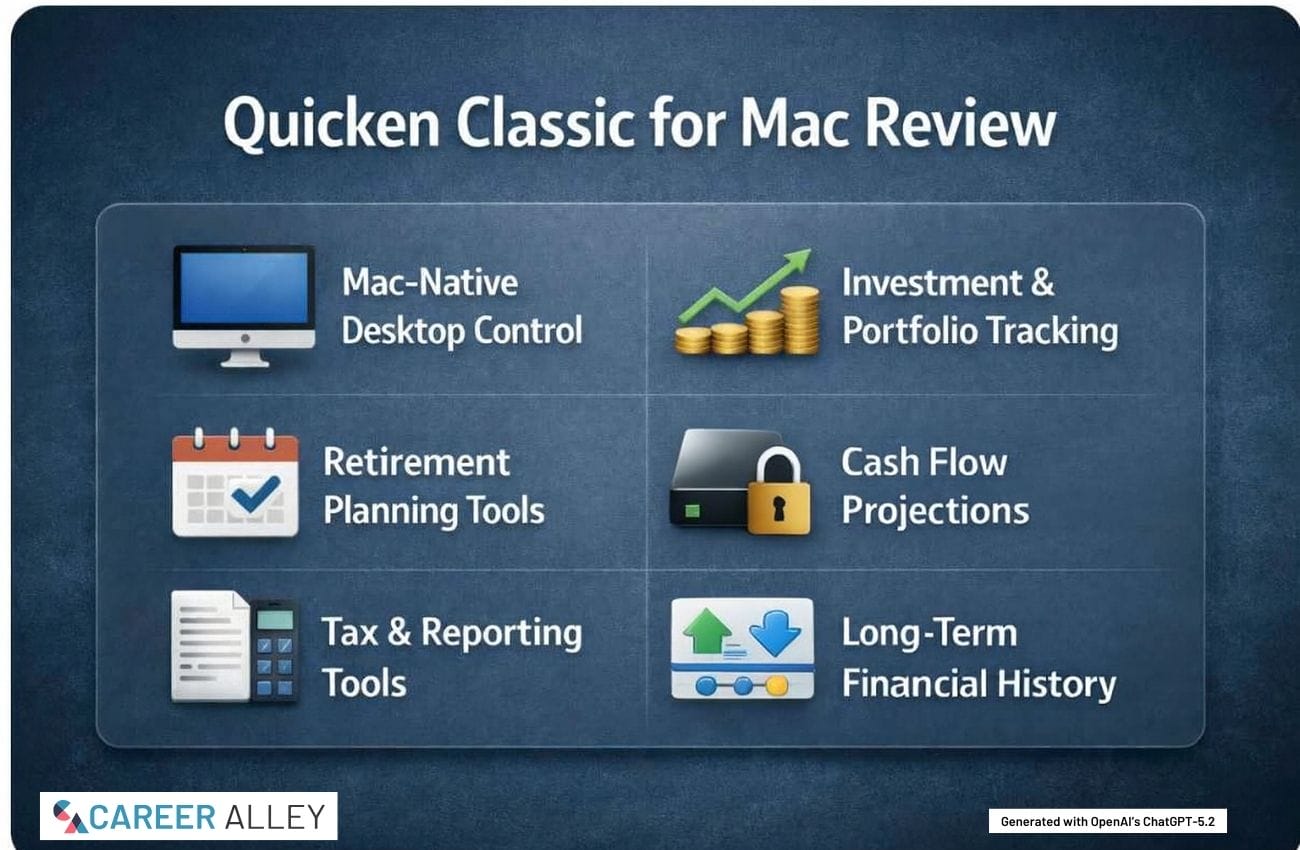
- Depth Over Simplicity: Quicken Classic for Mac prioritizes detailed control and long-term financial visibility over quick setup or hands-off automation.
- Mac-Focused Design: The software is built specifically for macOS users who value native desktop performance and familiar workflows.
- Planning-Oriented Tools: Cash flow projections and lifetime planning features support informed decision-making for retirees and pre-retirees.
- Local Data Ownership: Financial data is stored primarily on your Mac, appealing to users who prefer control over cloud-first approaches.
- Not for Everyone: Users seeking minimal interaction or app-style simplicity may find Quicken demanding and occasionally rigid.
Who This Review Is For
This review is intended for people who actively manage their finances and want detailed insight into where their money goes and why. Quicken Classic for Mac is best suited for retirees, pre-retirees, and long-term DIY
It is also clearly aimed at Mac users who prefer native desktop software. Many in this group deliberately avoid cloud-only tools, especially when managing retirement income, taxable investments, and multi-year financial plans that benefit from stable, locally stored records.

Manage your financial life and achieve more. Try Quicken for 30 days with our money-back guarantee.

Desktop Capability in Practice
Quicken Classic for Mac is built for complex personal finances rather than for streamlined monthly snapshots. Users can create detailed budgets, manage multiple accounts across institutions, and maintain years of financial history in a single file. This depth is useful, but it also means the software expects careful setup and regular maintenance.
Investment tracking is one of its strongest areas, offering portfolio views, performance reporting, asset allocation analysis, and capital gains tracking. For users with multiple taxable and retirement accounts, these tools provide clarity that simpler systems often cannot match.
Mac User Experience
Recent versions of Quicken Classic for Mac reflect steady improvements in usability and visual clarity. The interface closely follows macOS conventions, so long-time Apple users will feel oriented quickly, even if the feature set itself takes time to learn.
That said, function clearly takes precedence over minimalism. Screens can feel dense, and workflows sometimes reflect the software’s long history. Users expecting a lightweight or app-like experience may find the design practical rather than elegant.

DESIGNED FOR PERSONAL CASH BUDGET - New!! 24 Pcs Cash Envelopes for Budgeting, Cardstock Budget Envelope System for Tracking Money Savings, 12 Assorted Colors, Vertical Layout
Planning Beyond Transactions
Quicken’s value increases when users move past transaction tracking and into planning. Cash flow projections help connect spending and income over time, rather than viewing each month in isolation. This is especially relevant for retirees managing withdrawals or pre-retirees evaluating timing decisions.
The Lifetime Planner and scenario tools allow users to test assumptions and understand how changes in spending, income, or savings may affect long-term outcomes. These tools are powerful, but they rely on accurate data and realistic inputs to be meaningful.
Tax and Reporting Usefulness
Tax reporting is one area where Quicken Classic remains particularly practical. Detailed categorization and tax-related reports make it easier to prepare for filing and to work with a tax professional. Export options support collaboration without requiring duplicate data entry.
This is especially helpful for users managing required distributions, investment income, or rental activity. Ongoing organization throughout the year reduces the need for last-minute reconstruction.

You Need A Budget’s proven method that has helped hundreds of thousands of people break the paycheck to paycheck cycle, get out of debt, and live the life they want to live.
Business and Rental Features
While primarily a
For retirees or pre-retirees with rental properties or consulting income, this integration can simplify oversight. However, users with more complex business needs may still prefer dedicated
Data Control and Continuity
A defining aspect of Quicken Classic is that your primary data file resides locally on your Mac. For many users, this offers a sense of control and continuity that cloud-only solutions do not provide.
This approach also supports long-term record keeping. Users who have tracked finances for many years can preserve historical accuracy without worrying about forced migrations or abrupt feature changes.
The Simplified Beginner’s Guide to Eliminating Financial Stress, Building Wealth, and Achieving Financial Freedom (QuickStart Guides™ - Finance)
Strengths and Limitations
Quicken Classic for Mac excels for people who want detailed insights and are willing to engage with the software regularly. Its flexibility and reporting depth are strengths, but they come with complexity.
Users looking for automation with minimal oversight may find Quicken demanding. It is best viewed as a comprehensive toolset that requires attention, not a passive dashboard that runs itself.
Further Guidance & Tools
- Retirement Planning: Use Investor.gov to validate income and spending assumptions alongside Quicken projections.
- Tax Preparation: Reference IRS tools when reviewing estimated taxes and withholding accuracy.
- Portfolio Basics: Explore allocation guidance from Bogleheads to inform investment tracking decisions.
- Mac Workflows: Improve desktop efficiency with guidance from Apple Support.
Next Steps
- Inventory Accounts: List all accounts, investments, and income sources to determine whether Quicken’s depth matches your financial complexity.
- Allow Setup Time: Plan several focused sessions to configure categories, accounts, and reports accurately.
- Import Carefully: Review historical data during import to ensure balances and transactions align correctly.
- Test Scenarios: Use planning tools to model different retirement or spending outcomes before relying on projections.
- Review Monthly: Establish a regular review habit to keep data current and insights functional.

Prevent stress, hardship, and the fear of your future. Ensure your peace of mind and secure your golden years by embracing a smart financial strategy!
Final Words
Quicken Classic for Mac is a capable and demanding
Manage your financial life and achieve more. Try Quicken for 30 days with our money-back guarantee.

Mark Fiebert is a former finance executive who hired and managed dozens of professionals during his 30-plus-year career. He now shares expert job search, resume, and career advice on CareerAlley.com.